
Play Drive The Car Simulation - 3D Free Online
About Drive The Car Simulation - 3D
Play Drive The Car Simulation - 3D online for free directly in your browser on Zixo Games. No download required. Jump into the driver’s seat instantly and explore a wide open city while testing your driving skills, drifting abilities, and high-speed control.
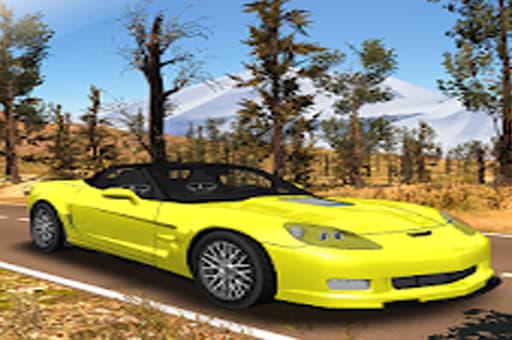
Drive The Car Simulation - 3D is a classic open-world driving simulator that lets players freely roam around a city environment with a powerful sports car. The game focuses on realistic driving physics and smooth vehicle handling, giving players the freedom to speed through streets, drift around corners, and perform stylish stunts.
Unlike racing games that force you into strict tracks or competitions, this simulator lets you enjoy driving without restrictions. There’s no traffic slowing you down and no police chasing you, so you can push your car to the limit and experience full-speed driving in an open city.
Gameplay Overview
The main objective in Drive The Car Simulation - 3D is simple: drive, explore, and master your car. The city acts as a playground where you can accelerate through wide roads, practice drifting on corners, and test how well you can control your vehicle at high speeds.
The realistic physics engine gives the car a satisfying feel. Every turn, drift, and acceleration reacts naturally, making the driving experience more immersive. Players who enjoy car simulators will appreciate the freedom to experiment with different driving styles.
The open map encourages exploration. You can cruise around slowly to admire the environment or push the car to maximum speed and create massive drifts across intersections.
How to Play
Getting started is very simple. Once the game loads, you immediately gain control of your sports car and can begin exploring the city. There are no complicated menus or missions to worry about.
Your goal is to control the car smoothly while experimenting with high-speed driving techniques like drifting and burnout turns.
As you become more comfortable with the controls, you can begin performing sharper turns, longer drifts, and faster cornering.
Controls
Keyboard
Arrow Keys / WASD – Control the car movement
Up Arrow / W – Accelerate
Down Arrow / S – Brake or reverse
Left Arrow / A – Turn left
Right Arrow / D – Turn right
Mouse
Mouse controls are not used in this game.
Touch
On supported mobile devices, touch controls allow you to steer and control the car directly from the screen.
Beginner Tips for Better Driving
Learn how drifting works
Turning at high speed will cause your car to slide. Use this to create controlled drifts rather than losing control.
Control your speed before corners
Reducing speed slightly before turning makes it easier to keep the car stable.
Use wide roads for practice
The open city streets give plenty of space to practice high-speed driving safely.
Avoid oversteering
Turning too sharply at high speed can spin your car out. Smooth steering works best.
Experiment with burnout turns
Accelerate hard while turning to create stylish drifting moments.
Many new players try to drive at maximum speed immediately, which usually leads to losing control. The best drivers gradually increase speed while learning how the car reacts during turns. Once you understand the physics, drifting becomes much easier and far more satisfying.
Why Players Enjoy Drive The Car Simulation - 3D
One of the biggest reasons players enjoy this game is the freedom it offers. Instead of being locked into races or missions, you can simply drive wherever you want and experiment with different driving styles.
The realistic vehicle physics make the gameplay engaging even though the concept is simple. Drifting through wide intersections, accelerating down empty streets, and testing the limits of your car creates a fun sandbox driving experience.
The game is also very accessible. Since it runs directly in your browser, players can start driving instantly without installing anything
Game Information
Frequently Asked Questions About Drive The Car Simulation - 3D
Can I play Drive The Car Simulation - 3D online for free?
Yes. You can play Drive The Car Simulation - 3D online for free directly in your browser on Zixo Games with no download required.
Is Drive The Car Simulation - 3D a racing game?
No. It is mainly a driving simulator where players can freely explore a city, drift around corners, and enjoy realistic car physics.
Does the game have missions or objectives?
The game focuses on open-world driving rather than missions, allowing players to explore and practice drifting freely.
Can I play Drive The Car Simulation - 3D on mobile?
Yes. The game can be played on both desktop and mobile browsers, making it accessible on many devices.
Do I need to install anything to play?
No installation is required. The game runs instantly in your browser on Zixo Games.
Tags
You May Like




















Explore More Games
Recommended just for you
Discover thousands of premium games
BROWSE ALL GAMES